Turn any screen into a live display board
Push structured content from any tool — API, CLI, MCP, GitHub Action, n8n, Zapier, or Power Platform — and see it live on your displays in real time.


Send your first message
Your board is ready after sign-in. Pick your language and push content in one call.
curl -X POST \
  https://api.pushtodisplay.com/v1/updates \
  -H "Content-Type: application/json" \
  -H "X-Api-Key: <YOUR_API_KEY>" \
-d '{"boardId":"<BOARD_ID>","blocks":[{"text":"Hello!"}]}'Real boards. Real data. Real time.
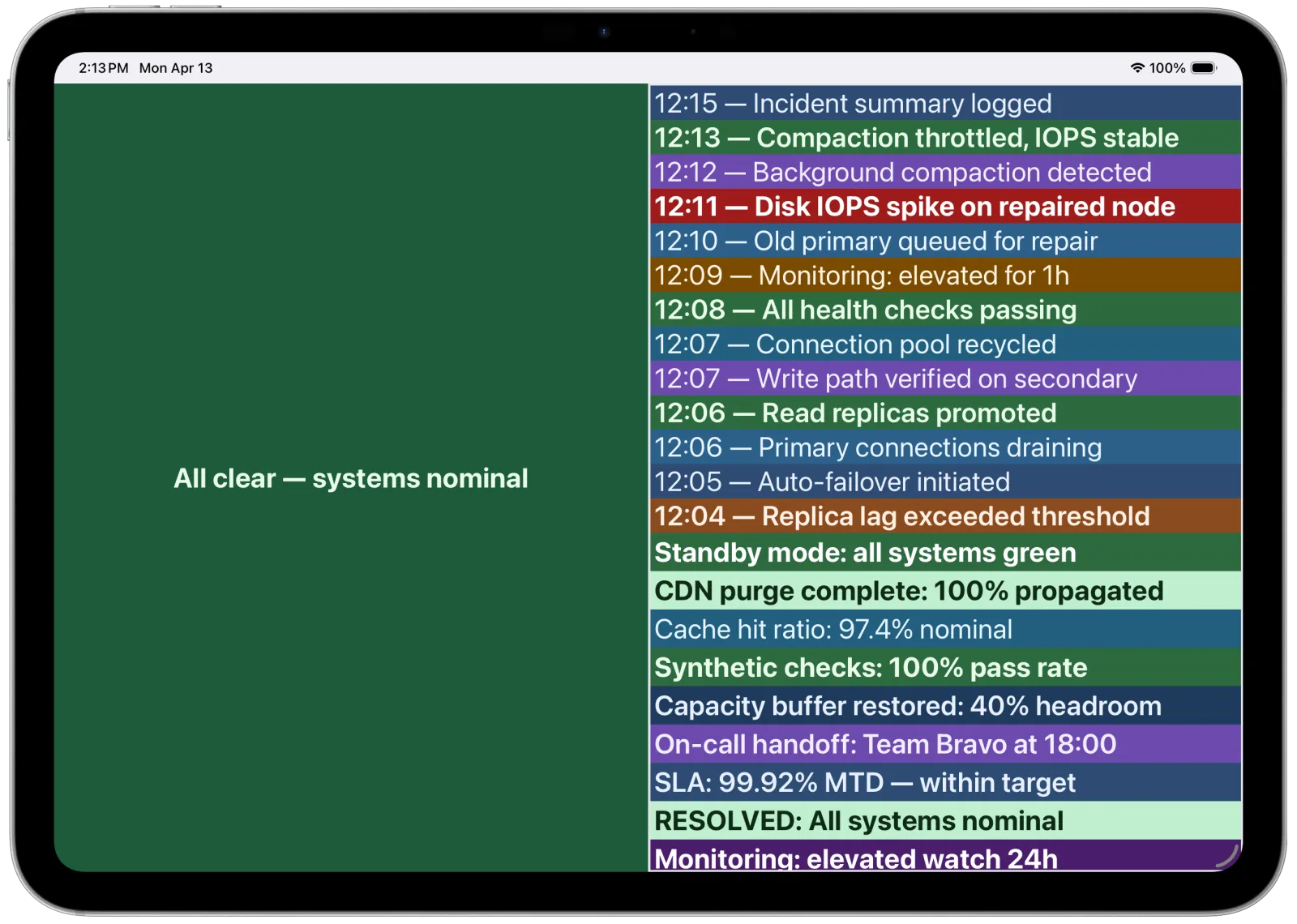
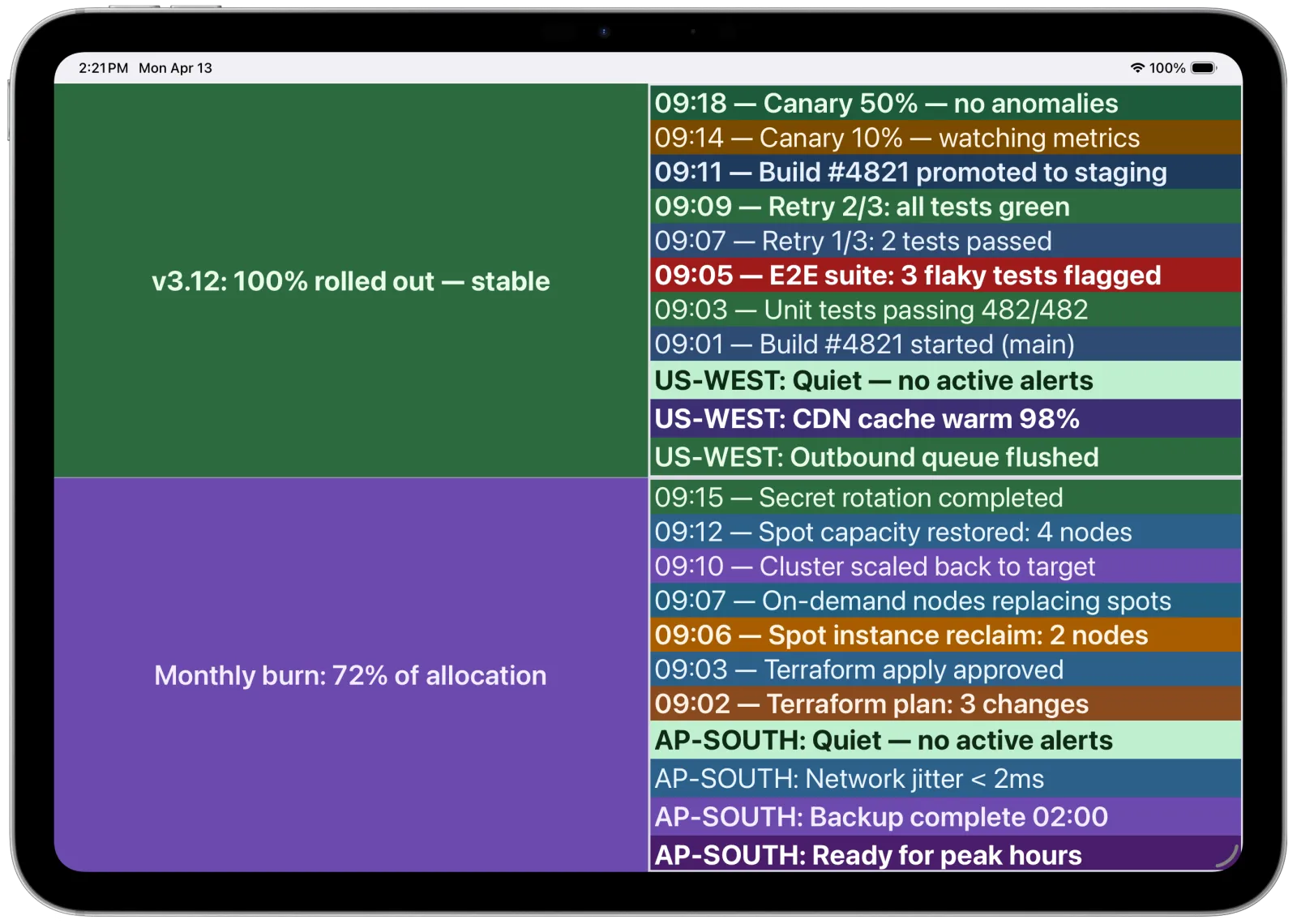
Layouts, panels, and multi-stream routing — running on iOS and Android devices.
From sign-in to first display in 2 minutes
See the API Playground in action — create an API key, pick a message, and push it to a live device.
Every way to push. Every way to display.
Send from code, CI/CD, terminal, or AI agents. Display on any device — clean, focused, always live.
HTTP API
One endpoint. Any language. Send structured content to any board with a single POST request.
CLI
Two lines from your terminal. Zero install with npx. Pipe scripts, manage boards, automate.
MCP Server
AI agents push content natively. Auto-discovered by Claude Code, Cursor, and Codex.
GitHub Action
Push deploy status, build results, and alerts from any CI/CD workflow.
n8n
Send display updates from any n8n workflow with the official n8n verified node.
Zapier
Trigger display updates from 7,000+ apps — no code required.
Raycast
Send to a board from your keyboard on macOS — Quick Send and styled updates.
Power Platform
Enterprise connector for Power Apps, Power Automate, and Copilot Studio.
Kiosk ModeBusiness
Lock a device to the display screen. Hide all controls and settings for unattended operation.
Distraction-Free Display
Content only. Controls auto-hide. Tap anywhere to reveal. Designed for ambient, always-on screens.
Frequently asked questions
Everything you need to know about Push To Display.
Push To Display turns any screen into a shared live display board. Send structured content from any tool — API, CLI, CI/CD, no-code platforms, or AI agents — and devices render it in real time. Think of it as a programmable display layer.
No. The Sandbox tier is completely free and doesn't require a credit card. You can upgrade to a paid tier anytime through the app via in-app purchase.
Download the app from the App Store or Google Play, sign in, and your first board is created automatically. The Quick Start screen gives you your board ID, an API key, and code samples. You can send your first message in under a minute.
Yes. The Sandbox tier is free forever — no credit card required. It includes 1 board, 2 active streams, and 1,000 messages per month. It's enough to build and test your integration before upgrading.
Push To Display runs on iOS (iPhone and iPad) and Android phones and tablets. Devices are unlimited on every tier — you can connect as many devices as you want to any board.
An active stream is a device currently connected to a board. Each device-board connection counts as one active stream. For example, if you have 2 devices connected to the same board, that's 2 active streams. Switching a device to a different board replaces the stream rather than adding a new one. Your tier determines how many concurrent active streams you can have — Sandbox allows 2, Go allows 3, Pro allows 10, and Business allows 50. You can free up a stream slot by disconnecting a device from its board.
A board is a named display destination. When you push content, you target a board by its ID. Any device tuned to that board sees the update in real time. Boards support multiple layouts (Full Screen, Side by Side, Stacked, 2×2 Grid) so you can route content to specific panels.
Layouts divide a board into panels — 1, 2, or 4 regions on screen. When you push content, you can target a specific panel (e.g., panel 2 of a 2×2 grid) so that region updates without replacing the rest. This lets you display multiple data streams on one screen.
Send a POST request to the /v1/updates endpoint with your board ID and content blocks. You can use any HTTP client, our CLI (npx pushtodisplay send), the GitHub Action, or the MCP server for AI agents. See the Quick Start section above for code samples in cURL, Python, Node.js, C#, and more.
Any language that can make an HTTP POST request. The API is a single REST endpoint. We show examples in cURL, Python, Node.js, and C# — but Go, Java, Ruby, PHP, or any other language works just as well.
Yes. Content is delivered via WebSocket connections. When you push an update, connected devices receive it within milliseconds — no polling, no delays.
Absolutely. The GitHub Action (pushtodisplay/action) lets you push deployment status, build results, and alerts directly from GitHub Actions workflows. You can also call the API from any CI/CD tool — Jenkins, GitLab CI, CircleCI, or shell scripts.
Yes. Push To Display ships an MCP server (npx pushtodisplay mcp) that is auto-discovered by Claude Code, Cursor, Codex, and other MCP-compatible AI tools. Agents can create boards, push content, and manage displays natively.
Yes. Use pushtodisplay/action@v1 in your workflow. Provide your API key and board ID as inputs, and the action sends content to your board on every run.
Yes — both are available now. The official n8n verified node (n8n-nodes-pushtodisplay) is live on the n8n integrations page (https://n8n.io/integrations/pushtodisplay/) and sends display updates from any n8n workflow. The Zapier app (app key push-to-display) exposes a Send Update action that works with 7,000+ connected apps. See the Integrations page for details.
Yes. The Business plan is available on Microsoft Azure Marketplace for organizations that want to buy through their Azure agreement. Seats are billed per assigned user. Visit the marketplace listing to get started.
Authentication uses HMAC-signed API keys with expiry and revocation. Board ownership is enforced — only the board owner's keys can push to their boards. All API traffic is encrypted via TLS. Input is validated and normalized server-side before delivery.
Limits depend on your tier. Sandbox: 1 board, 1,000 messages/month. Go ($9.99/mo): 10 boards, 50,000 messages. Pro ($19.99/mo): 50 boards, 200,000 messages. Business ($49.99/mo): 100 boards, 1,000,000 messages. Devices are unlimited on all tiers.